Redefining academic craft

Write the future of Science

Modern scientific papers and reports with the power of Typst.
Local-first, offline-first and lightning fast.

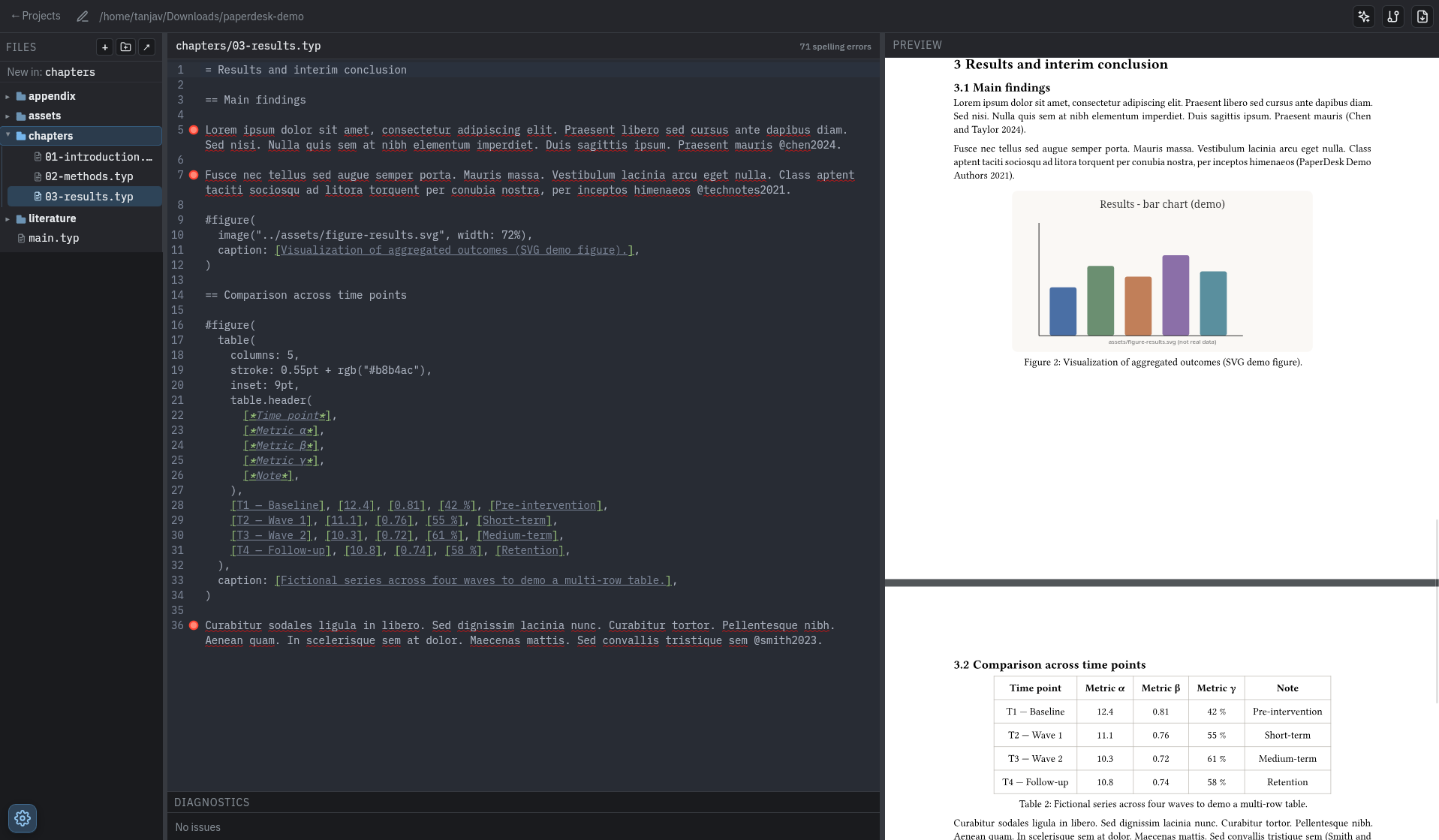
PaperDesk: Typst editor with live PDF preview in the app window
Live preview while you write — everything stays on your machine.

Why PaperDesk?

For research and technical writing without cloud lock-in: one app on your machine, with your tools and your data.

The problem

  • Typst in the browser and Overleaf need a network connection — you cannot work fully offline
  • Overleaf and Word / Microsoft 365 expect an account and sign-in before you can get serious work done
  • LaTeX toolchains are often slow to render compared with modern compilers
  • LaTeX stays inherently complex; in Word, the pain is academic workflows — citations, bibliographies, and equations

The solution

  • All-in-one desktop workspace — local-first, so your project and workflow stay on your machine
  • Distraction-free writing with a focused editing environment
  • Seamless Zotero integration for references and bibliography
  • Native Git versioning with snapshots and diffs, alongside your normal Git use
  • Built-in AI assistance when you want it (optional, with your own API)

Features

Everything you need for academic and technical writing with Typst — installed locally.

Editor

  • Full Typst editor powered by CodeMirror 6 with syntax highlighting, line numbers, line wrapping, and active-line highlighting
  • Typst autocomplete for commands (#set, #show, #import, …), symbols (sym.), math mode (Greek letters, operators, functions), and more
  • Real-time PDF preview powered by tinymist
  • Built-in spell checker using nspell (Hunspell-compatible)

AI Assistant

  • Optional AI writing assistant using any OpenAI-compatible API (e.g. Featherless)
  • Sends editor context (file path, selection) for relevant suggestions
  • Configurable API key, base URL, and model (with suggested presets)

Version History

  • Git-based version history using a dedicated refs/paperdesk/history ref (does not interfere with your own Git workflow)
  • Automatic checkpoints on save, compile, export, file operations, and after idle periods and manual snapshots
  • Diff view showing changes between any snapshot and the current state
  • Restore the project to any previous snapshot

References & Zotero (local .bib)

  • Zotero with Better BibTeX keeps a .bib file inside your project up to date
  • PaperDesk watches that path (set in Settings) and refreshes diagnostics, the open editor tab, and the live preview when the file changes on disk

Pricing

Personal stays free for individual, non-commercial use. Commercial use is covered by team seats or a custom agreement.

Personal

$0 forever

Perfect for individuals. No commercial use.

Download

Team

$10 per seat / month

PaperDesk for your whole team.

Get started

Custom

Custom Let's talk

For organizations with advanced needs.

Contact us

Download & Demo

Installers point at the release assets from GitHub Releases.

Release builds

Install PaperDesk

One download per platform from the current GitHub release—offline installers, no store sign-in.

All releases on GitHub

Verify checksums and release notes on the tag page before you install.

Typst sample

Demo project

A ready-made PaperDesk project with chapters, bibliography, and assets—ideal to explore the workflow after install.

  1. 1
    Grab the archive ZIP download, works offline
  2. 2
    Unzip anywhere Keep the folder structure intact
  3. 3
    Open in PaperDesk File → Open project and pick that folder
Download demo project

.zip · sample Typst sources included